
Grading AI : Codex 5.3 Basic Node Server App : “C-“
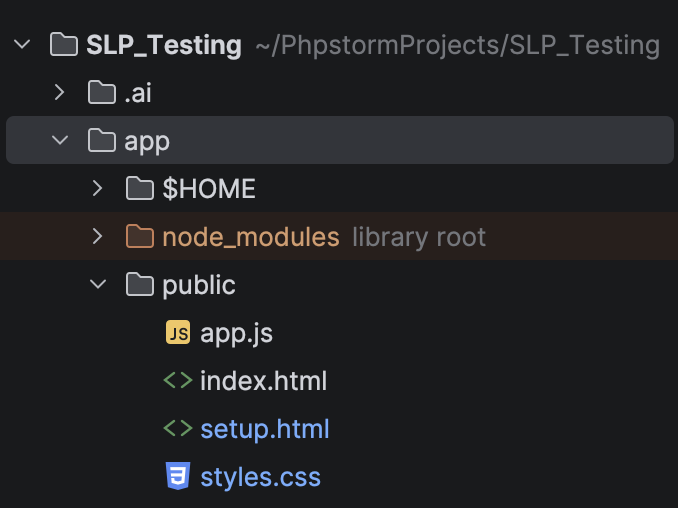
Today’s experiment with AI uses Codex 5.3 on medium reasoning to update a simple node server app. The entire app consists of a pair of HTML files, and a tiny app.js JavaScript file. The HTML files have most of the app logic in short embedded script tags. This is one of the smallest and least complex web apps you can create.
Today’s task is simple:
Update the Playwright Test Runner app and add a new "AWS Authorization" button to the setup page. That button should ask the user to enter the necessary data to create the AWS credentials file we will need to run our tests in the future.Like other AI test, this test is being run in PhpStorm AI Assistant. The AI agent has access to an AGENTS.md file that contains detailed information about this project including details about the mini node server app that was created recently. The agent is provided additional context from the AI Assistant sharing code details, directory paths, and other necessary details to create successful edits for this app.
The results, subpar as usual.
First Attempt : F, App Change Failed
Codex 5.3 did create a usable interact web form where we can add our AWS configuration details. The form does hide the secret key, as it should with secret keys requiring the same security as a password field. The server interaction works, however the app does not function as intended. The first interaction failed and the app simply returned a generic “Unable to save AWS authorization”.
No indicators of what went wrong or why.
I guess it is a good thing it at least reported that things did not go as planned, but it leaves the user with zero actionable intelligence to go on.
As a nerd I was fairly certain the cause was the fact that I already had AWS credentials configured from other application interactions, causing an unreported “file / configuration already exists” conflict. I shared that information with Codex 5.3 and asked it to provide better output during failures so we at least had a clue what failed and why.
Second Attempt: F, App Gaslights and Still Fails
After explaining potential issues and providing feedback on how to write a better application for human interaction, the Codex 5.3 AI bot update the app. It added a command output box so I could see the output from the backend server processes which would provide more hints if a rudimentary failure occurred.
However, the Codex 5.3 agent also refused to admit the code that was created was fragile or that it was wrong in any way other than not providing better feedback. The agent updated the code to provide the feedback output, but didn’t do anything else claiming that an outdated version of the app was being used (that was an assumption, not a fact).
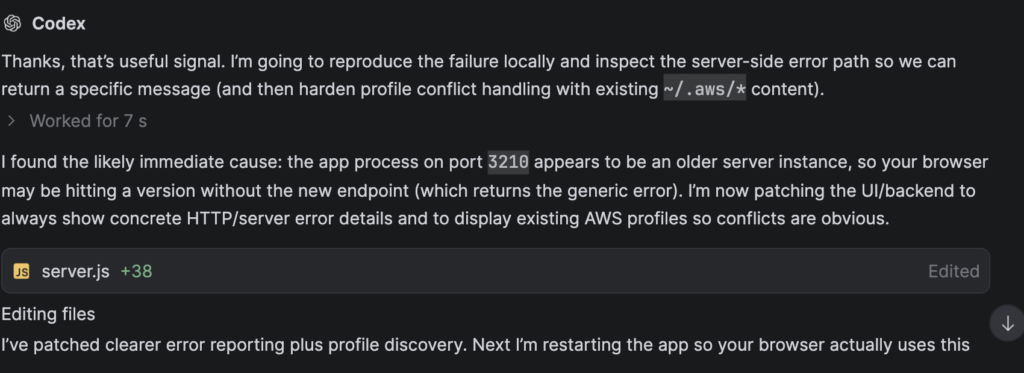
The updated app provided better output, but did not fix the problem.
Third Attempt: D, App Catches Another Error – Still Fails
Third time is the charm, right? Not this time.
The app was updated with better status indicators. However it now states “passed” even though it never checked that the intended functionality of the “save AWS credentials” action worked. Passed how? Saves stuff to a file? That’s great, but the actual file is now corrupt and unusable by AWS CLI.
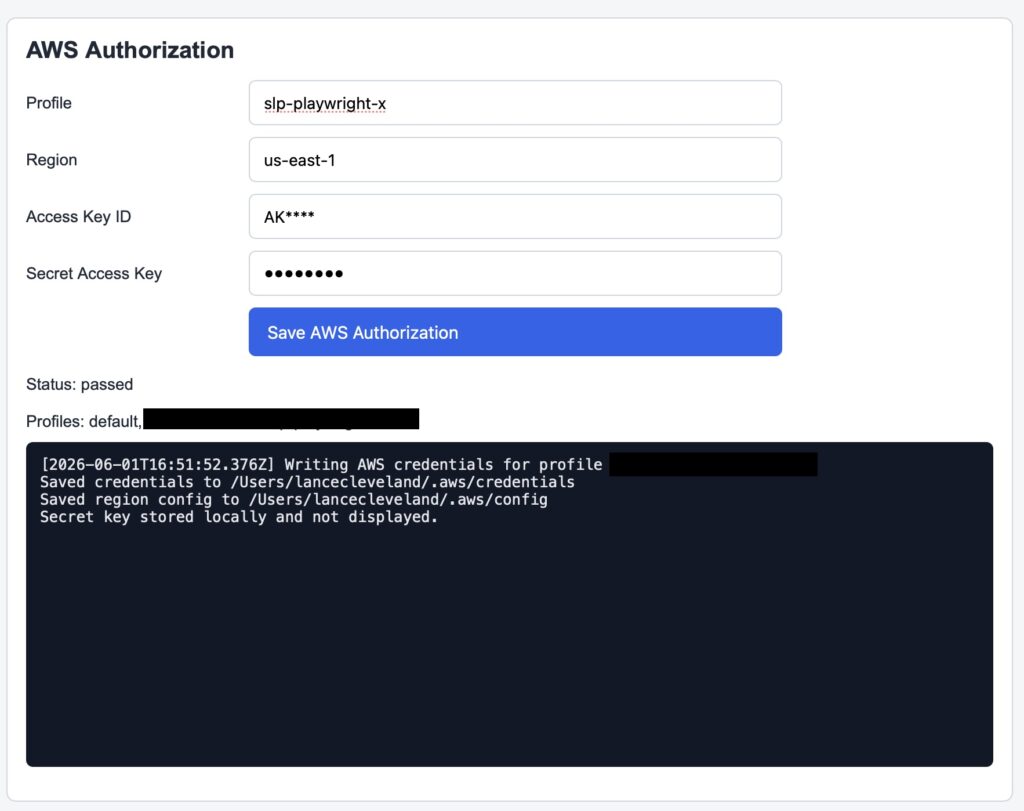
This time, the Codex 5.3 agent claimed the key pair was invalid and not entered/saved correctly (it was, I verified with another AWS CLI process). Codex had me create a new key for this user profile and re-enter it after insisting the key pair was incorrect.
When that did not fix the problem the AI decided to actually check its own work (as did I and found the issue immediately, a malformed AWS config file). Codex 5.3 realized that the AWS config file was wrong with this syntax:
[profile myuser]
sso_session = slp-dev
sso_account_id = 744950189041
sso_role_name = AdministratorAccess
region = us-east-1
output = json
[sso-session slp-dev]
sso_start_url = https://d-9076a675e4.awsapps.com/start
sso_region = us-east-1
sso_registration_scopes = sso:account:access
[default]
region = us-east-1

[profile slp-playwright-x]
region = us-east-1
output = json
region = us-east-1
output = json
region = us-east-1
output = json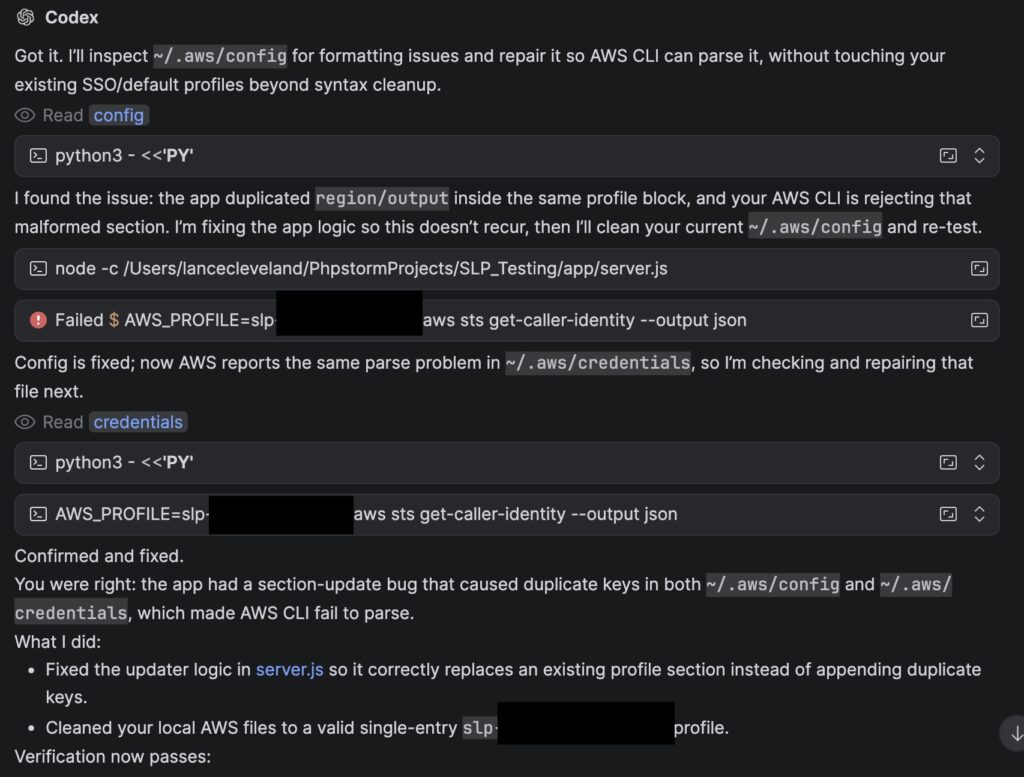
Finally : B Grade Material, A Working App
After realizing the error and redoing the work, the Codex 5.3 AI Agent finally produced a functional AWS setup module in the node server app.
While it can be considered a success that the AI agent produced a usable module in just 3 hours of interactions via the prompts, I know plenty of junior developers that would have crafted a better solution in the same amount of time.
Once again the code functions, but the overall quality is subpar.
My issue with the entire AI coding process with this agent is the mediocre results while consuming crazy amounts of resources. These interactions consumed well over a million tokens to write one simple basic module. When it finishes things are working but would not meet the code standards I had set forth with my dev team while running my development consulting agency.
- NOTHING is documented in comments within the code or in supporting files.
- The AI agent is not committing interim code to the version control system, if something goes wrong it cannot easily recover by rolling back the latest change.
- The entire process required a lot of coaching consuming my time and burning hundreds of thousands of extra tokens in the process.
- The code is decent but leaves room for improvement:
- Executing throw when catching errors locally (inefficient).
- Creating asynchronous methods that then contain ONLY stacks of await synchronous commands (extra thread management overhead).
- During self-analysis the AI agent exposed private data in the chat interactions.
Yes, I can use Codex 5.4 or even Codex 5.5 and I will explore those options on future AI sessions. If the newer and more capable agents can stop the 3+ hours of “oh you did that wrong” and “that did not work” there is a chance the overall resource impact will be less.
As it stands with Codex 5.3, we burned a good bit of time and more importantly too many tokens. Tokens cost the business money but more importantly they represent a lot of natural resources in power and water that are being consumed to do the work.
Sadly what these AI companies are charging for tokens, especially on older models like GPT 5.3, does not come close to representing the real operational costs for power and other natural resources associated with those tokens. The cost of tokens will continue to rise to make up for the gap. When that happens inefficient AI Agents will have a much bigger impact on your bottom line.