
AWS Lightsail WordPress Instances Stop Responding
Last month, AWS announced that the Bitnami versions of pre-configured Lightsail servers was no longer being supported. The AWS Lightsail team has been on a mission to scrub all the Bitnami server images from their Lightsail platform. Most, including the WordPress instances, are being replaces with AWS direct, or “AWS Lightsail” as they like to call it, versions of the same offerings.
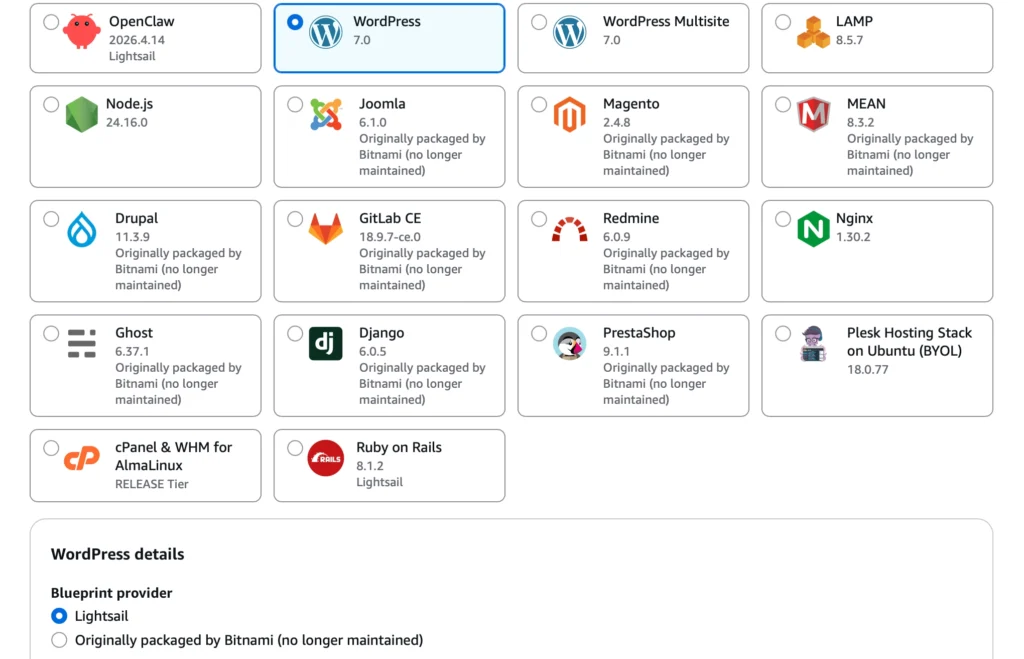
Over the past few weeks I followed the recommended path of migration to move two website assets over to the supported AWS Lightsail instances from the Bitnami versions. The Internal documentation site for Store Locator Plus® and this blog at LanceCleveland.com were “updated” to AWS Lightsail WordPress 7.0 instances.
The migration involved backing up the entire site including content, data, and the code with an independent backup service. Starting up a new AWS Lightsail WordPress 7.0 instance. Restoring the backup. After that is up-and-running change the DNS records to point to the new servers.
Things went quickly and smoothly. The new server was hosting both sites with no issues.
Until they weren’t.
Turns out the out-of-the-box AWS Lightsail WordPress instances need some work. For some reason both websites stop responding about once-a-week. They stop responding to both web requests as well as SSH connection requests. For all intents-and-purposes the servers appear to be completely offline. Except they are not completely offline as they both respond to reboot requests routed through the cloud fabric from the AWS Lightsail web interface for managing the servers. Reboot the server and it works away happily for about another 7 days, then … bye-bye Felicia.
Time to figure out what is going on. What did the AWS team miss when crafting their images for these instances?
Investigating AWS Lightsail WordPress Instances
A quick web search yielded some of the typical AI-assisted output with a myriad of generic reasons for the issue. Gemini even suggested some possible fixes for the issue. It started with the rather obvious “reboot the instance” advice, solving the problem but not creating a solution. Pretty useless advice, but for a newb it may be helpful. It also mentions CPU or memory constraints. Neither apply to this situation.
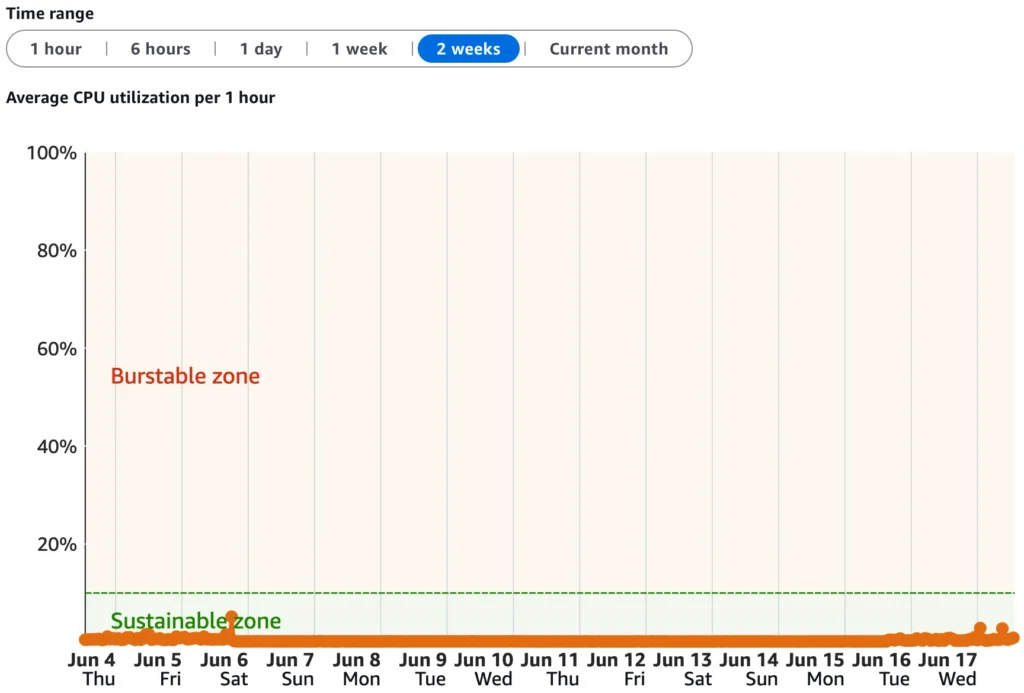
Scanning The Apache Logs
Scanning the Apache log files might provide a hint as to why AWS Lightsail WordPress instances stop responding. Unfortunately there are a lot of entries for a few recurring issues on the server, but neither would cause a system shutdown:
- The Fair Plugin code is not well written and throws errors constantly while scanning for plugin and theme updates. I like the idea of not feeding meta back to WordPress.org without my explicit permission, but the Fair plugin needs some work:
Undefined array key 1 in fair-plugin/inc/packages/namespace.php on line 694 - Lots of pain-in-the-ass script kiddies, or more likely agentic AI bots, attempt typical attack vectors. Sadly AWS Lightsail has a mostly-useless firewall feature in front of their Lightsail instances. Want better security? You’ll need to add a stack of services in front of Lightsail for a bigger monthly AWS bill.
[client 132.243.18.154:50476] AH10244: invalid URI path (/cgi-bin/.%2e/.%2e/.%2e/.%2e/.%2e/.%2e/.%2e/.%2e/.%2e/.%2e/bin/sh)
While the Fair Plugin bug was the last entry on both servers before the system is hanging, that is not likely the culprit for the dropped responses.
Regardless, it may be worth seeing if disabling the plugin stops the issue if nothing else surfaces in the system logs. It could be possible that the Fair plugin in combination with PHP and their well-documented memory management issues are the problem. PHP 8.x is far better at memory management, but there are some deep-rooted gremlins in that part of the PHP stack.
AWS Linux System Updates
One more likely culprit is the built-in automated system updates that appear to be enabled in the AWS Lightsail WordPress instance images. In the apt history log there is a suspicious system update logged right around the time the servers stop responding:
Start-Date: 2026-06-13  06:42:28
Commandline: /usr/bin/unattended-upgrade
Upgrade: linux-base:amd64 (4.9, 4.12.1~deb12u1)
End-Date: 2026-06-13  06:42:29
This COULD be the issue. Far more likely than a PHP memory constraint. Unfortunately “patching” a rogue system-level setting takes the instance images out of the real of a maintained and supported installation to a custom “patch it yourself” installation. This increases security risks for public web services and is not a great option. If this is indeed the culprit proof of that will be necessary, then good luck reporting this to the right people on the AWS team. There is no official support channel for this sort of thing unless you pay AWS for support services.
Journalctl System Logs
Since most system services now use Journalctl in place of basic text-centric system log files in /var/log, a scan of the system log entries with journalctl is prudent. Running journalctl from the command line will give us insight into system performance.
While there are no obvious errors, a pattern does emerge in the journalctl system logs:
This was the previous time the site went offline:
Jun 01 12:11:37 ip-172-26-5-126 systemd[1]: Starting apt-daily.service - Daily apt download activities...
Jun 01 12:12:08 ip-172-26-5-126 systemd-networkd-wait-online[82989]: Timeout occurred while waiting for network connectivity.
Jun 01 12:12:08 ip-172-26-5-126 apt-helper[82987]: E: Sub-process /lib/systemd/systemd-networkd-wait-online returned an error code (1)
___ at this point the system is no longer responding to https/ssh requests
___ routine online processes continue to run as expected...
Jun 01 12:12:08 ip-172-26-5-126 systemd[1]: apt-daily.service: Deactivated successfully.
Jun 01 12:12:08 ip-172-26-5-126 systemd[1]: Finished apt-daily.service - Daily apt download activities.
Jun 01 12:39:24 ip-172-26-5-126 systemd[1]: Starting phpsessionclean.service - Clean php session files...
Jun 01 12:39:24 ip-172-26-5-126 systemd[1]: phpsessionclean.service: Deactivated successfully.
...
Jun 01 16:37:37 ip-172-26-5-126 systemd[1]: Starting systemd-tmpfiles-clean.service - Cleanup of Temporary Directories...
...
___ The down site is recognized, an AWS Lightsail "reboot" is executed
Jun 01 19:00:32 ip-172-26-5-126 systemd-logind[483]: Power key pressed short.
Jun 01 19:00:32 ip-172-26-5-126 systemd-logind[483]: Powering off...
A few days later, a hint… an “Out Of Memory” (OOM) issue is logged.
Jun 04 12:46:04 ip-172-26-5-126 kernel: mariadbd invoked oom-killer: gfp_mask=0x140cca(GFP_HIGHUSER_MOVABLE|__GFP_COMP), order=0, oom_score_adj=0When this happens the system logs (journalctl) report memory consumption and active task details. Along with MariaDB using a lot of memory, but not an unusual amount, there are hundreds of Apache2 sessions open. There are a number of reasons that may happen including valid web bots running search spiders on the site or script attacks. Either way the MariaDB memory is likely a red herring and the Apache2 configuration needs to be reviewed.
Fixing The AWS Lightsail WordPress Instance Configuration
Turns out AWS has tuned the image for the AWS Lightsail WordPress instances to run on a much larger server than their minimum viable “1 GB RAM, 2 vCPUs, 40 GB SSD” plan. This is essentially running on an EC2 t3.micro server with 995MB available RAM.
The default Apache2 config file is configured for a much larger server.
/etc/apache2/mods-available/mpm_prefork.conf is the loaded config file for Apache and it is crazy to even think about running 150 simultaneous web connections on that size server.
# prefork MPM
# StartServers: number of server processes to start
# MinSpareServers: minimum number of server processes which are kept spare
# MaxSpareServers: maximum number of server processes which are kept spare
# MaxRequestWorkers: maximum number of server processes allowed to start
# MaxConnectionsPerChild: maximum number of requests a server process serves

StartServers            5
MinSpareServers         5
MaxSpareServers         10
MaxRequestWorkers       150
MaxConnectionsPerChild  0
For the smaller AWS Lightsail instance, this is a more appropriate configuration for Apache2:
StartServers 2
MinSpareServers 2
MaxSpareServers 3
ServerLimit 8
MaxRequestWorkers 8
MaxConnectionsPerChild 500
After rebooting the server…
AWS Lightsail WordPress instance ran some “magic” bullshit that overrides the revised file and resets it to the default setting. This is likely an AWS custom pre-compiler script or interface layer that tries to mimic the “managed for dummies” services that Bitnami had created. Time to hack that nonsense…
To force a change that “sticks” I copied /etc/apache2/mods-available/mpm_prefork.conf to /etc/apache2/conf-available/mpm_prefork.conf and made the edits there. I then symlinked /etc/apache2/conf-available/mpm_prefork.conf to /etc/apache2/conf-enabled/mpm_prefork.conf
Also – zero points for AI. The latest GPT 5 engine with a LOT of prompt context about system administration notes about Apache, Linux servers, and AWS resources and GPT 5.5 still could not get the answer right. After a lot of pushing it to the edge of the AI training knowledgeable it just gave up. AI started “hallucinating” (let’s stop calling it that and go with what Geoffrey Hinton properly labelled it… “confabulation” — or in common terms “a lie”). It kept confabulating , making random guesses hoping it would be correct. It never guessed the right patch for this issue. AI rating for helping resolve this issue… a C-. It was able to provide a decent parameter stack for Apache MPM Prefork mode, but in general it was clueless about how to override the AWS custom application stack layer.